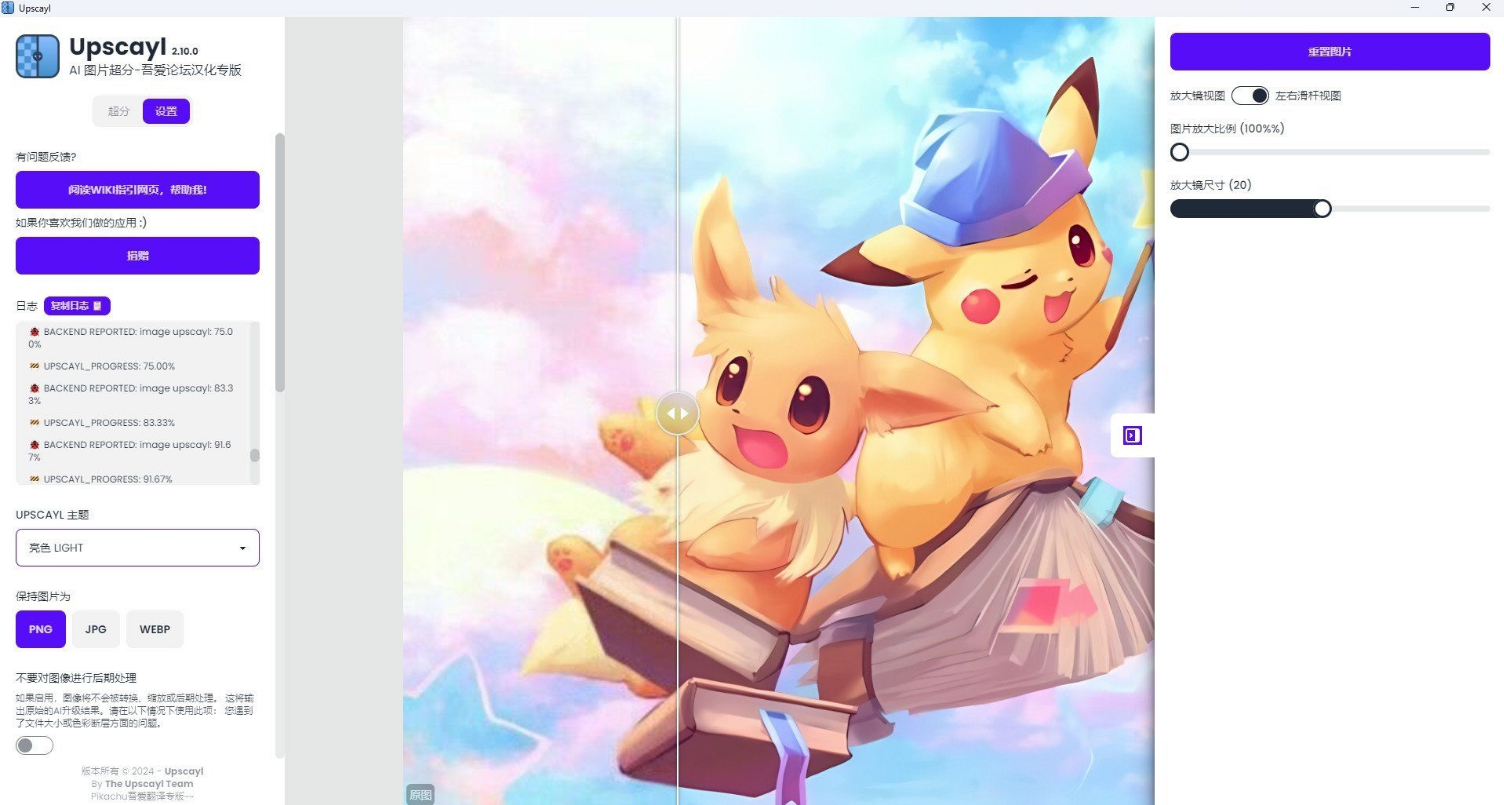
这次官方更新了Upscayl v2.10.0版本,除了原有的左右滑杆对比视图模式,添加了新的原图-AI效果图对比模式:放大镜模式,如图1所示,可以很方便的让大家使用放大镜的放大圈,直接对比区域内的AI超分结果,设置页也细化了很多选项。
Upscayl官方网站:
https://www.upscayl.org/" target="_blank" rel="nofollow noopener" style="-webkit-tap-highlight-color: rgba(0, 0, 0, 0); box-sizing: border-box; text-decoration-line: none; color: rgb(58, 55, 55); transition: all 0.5s ease 0s; margin: 0px; padding: 0px; overflow-wrap: break-word; outline: none;">https://www.upscayl.org/
官方源码:
https://github.com/upscayl/upscayl" target="_blank" rel="nofollow noopener" style="-webkit-tap-highlight-color: rgba(0, 0, 0, 0); box-sizing: border-box; text-decoration-line: none; color: rgb(58, 55, 55); transition: all 0.5s ease 0s; margin: 0px; padding: 0px; overflow-wrap: break-word; outline: none;">https://github.com/upscayl/upscayl
汉化版Upscayl v2.10.0百度网盘链接:
链接: https://pan.baidu.com/s/1HNERPpn7ilhmHsC5Gxy6vA?pwd=cfc5" target="_blank" rel="noopener" style="-webkit-tap-highlight-color: rgba(0, 0, 0, 0); box-sizing: border-box; text-decoration-line: none; color: rgb(58, 55, 55); transition: all 0.5s ease 0s; margin: 0px; padding: 0px; overflow-wrap: break-word; outline: none;">https://pan.baidu.com/s/1HNERPpn7ilhmHsC5Gxy6vA?pwd=cfc5 提取码: cfc5
效果图如下(应用左上角加上了吾爱汉化专版字样):